Works with TallyPrime · no change to Tally
Tally in the office.
Business in your pocket.
Munim brings your Tally data to your phone and laptop every minute — a live dashboard, 16 reports, who owes you what, GST invoices, and entries from your phone straight into Tally.
- No card needed
- 2-minute setup
- English & Hinglish
Problem
Tally is brilliant. It just lives on one office PC.
Before Munim
- How much did we sell? — call the accountant
- Who is sitting on your money? — you find out at month end
- Need a bill? — you have to go to the office
- Need a report? — "I'll send it tomorrow, sir"
- Data for the CA — pen drives and backup files
With Munim
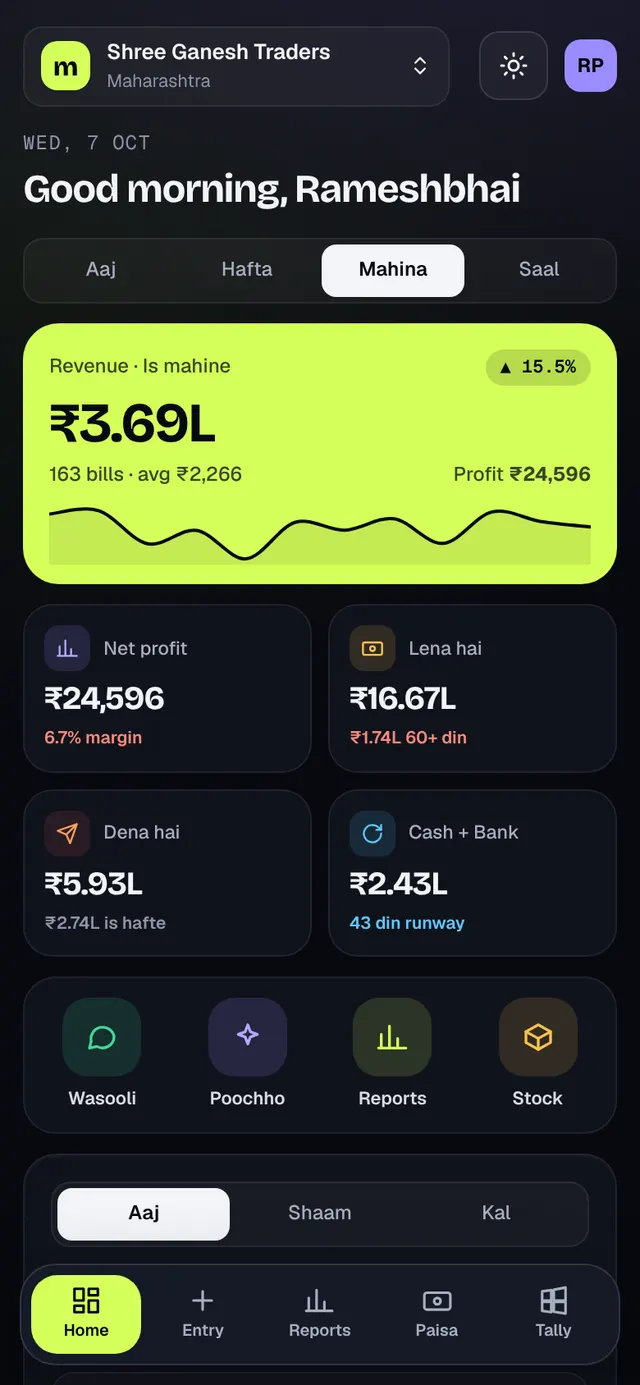
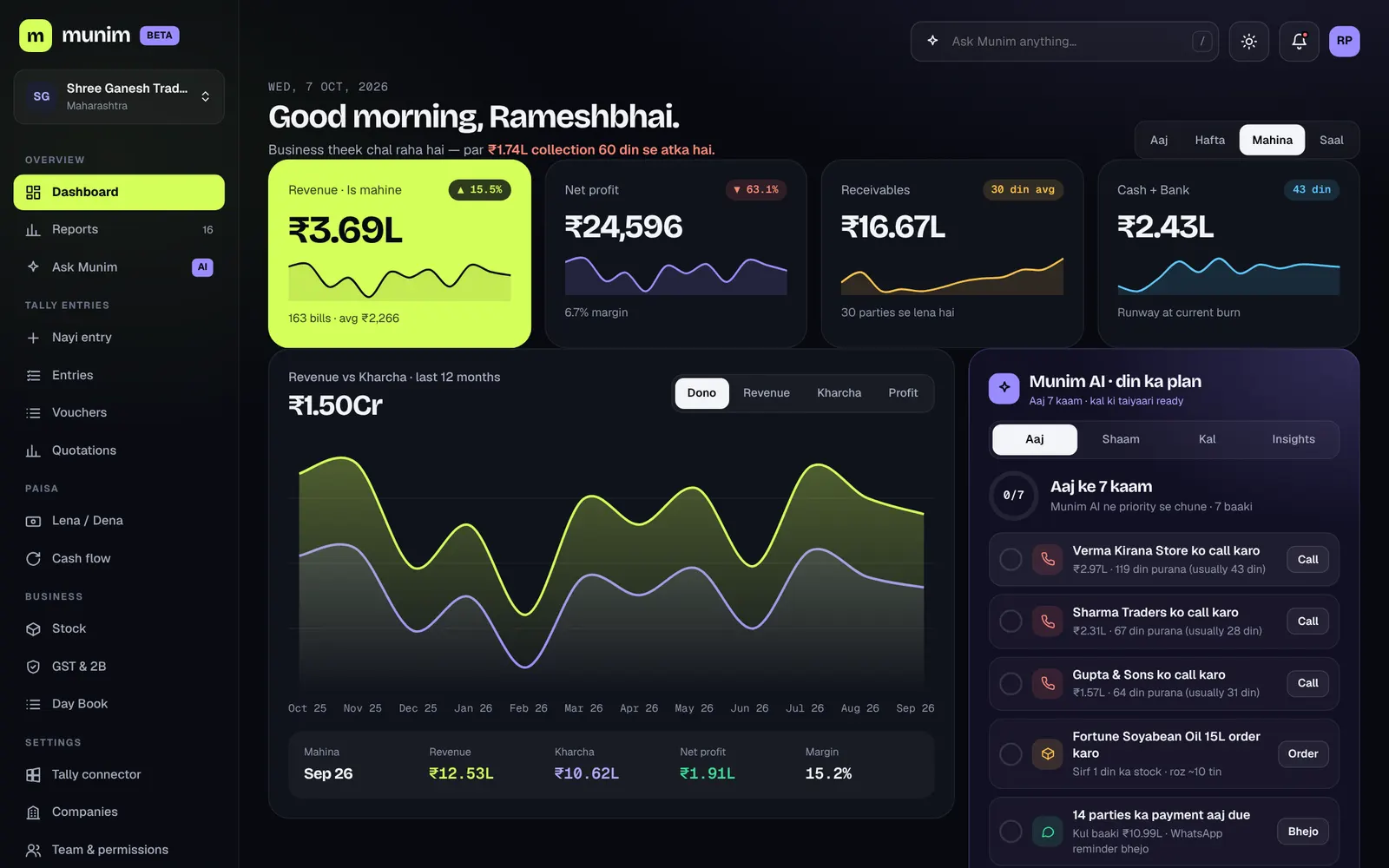
- Today's sales, profit and cash — the moment you open your phone
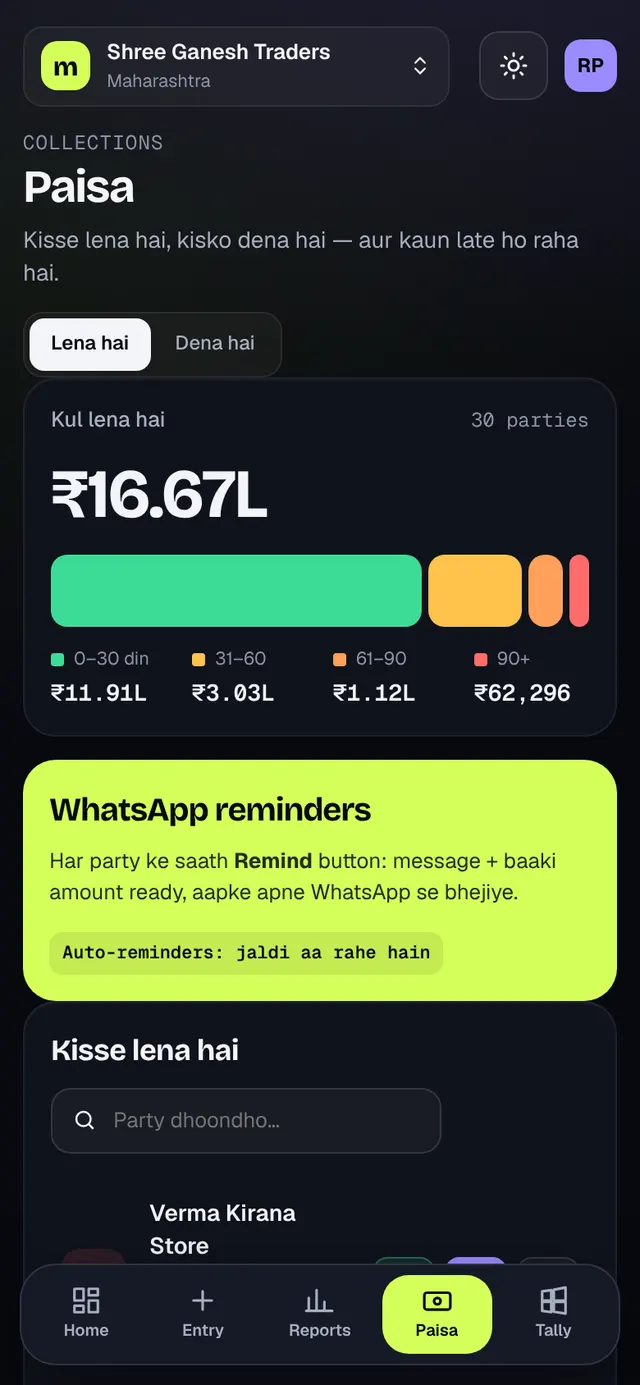
- Every party's dues, how long they've been due, how fast they usually pay
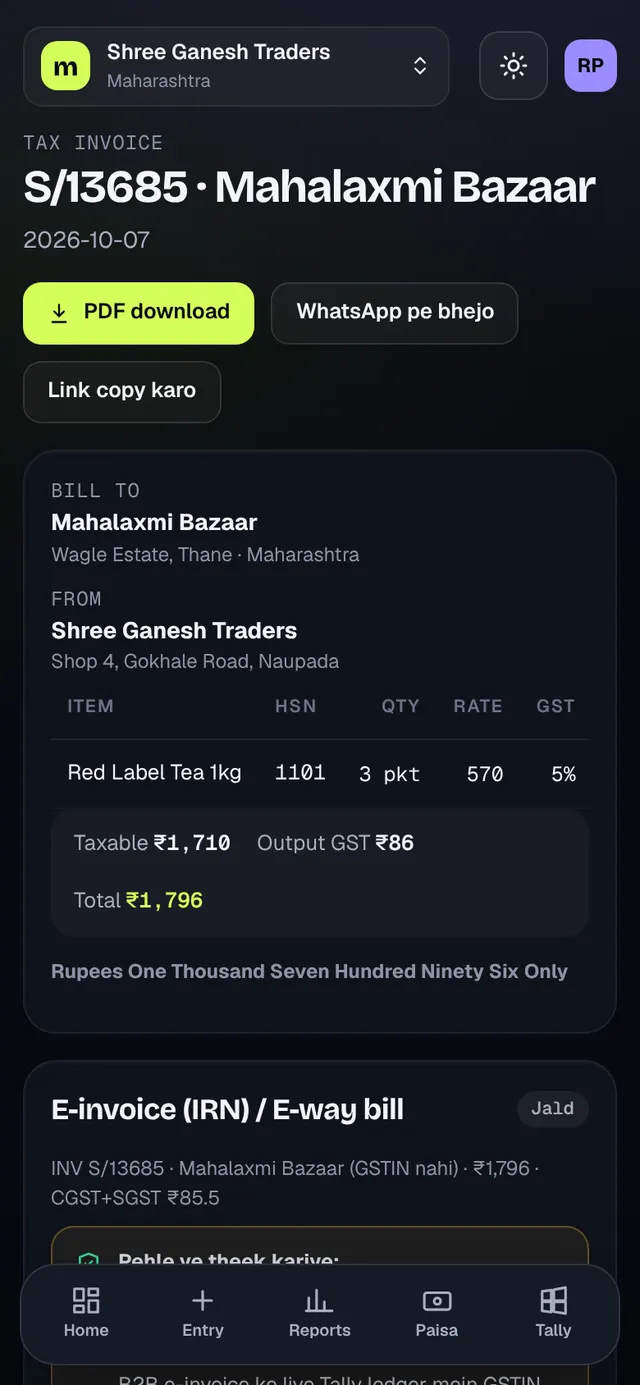
- Sales bills from your phone — posted into Tally automatically
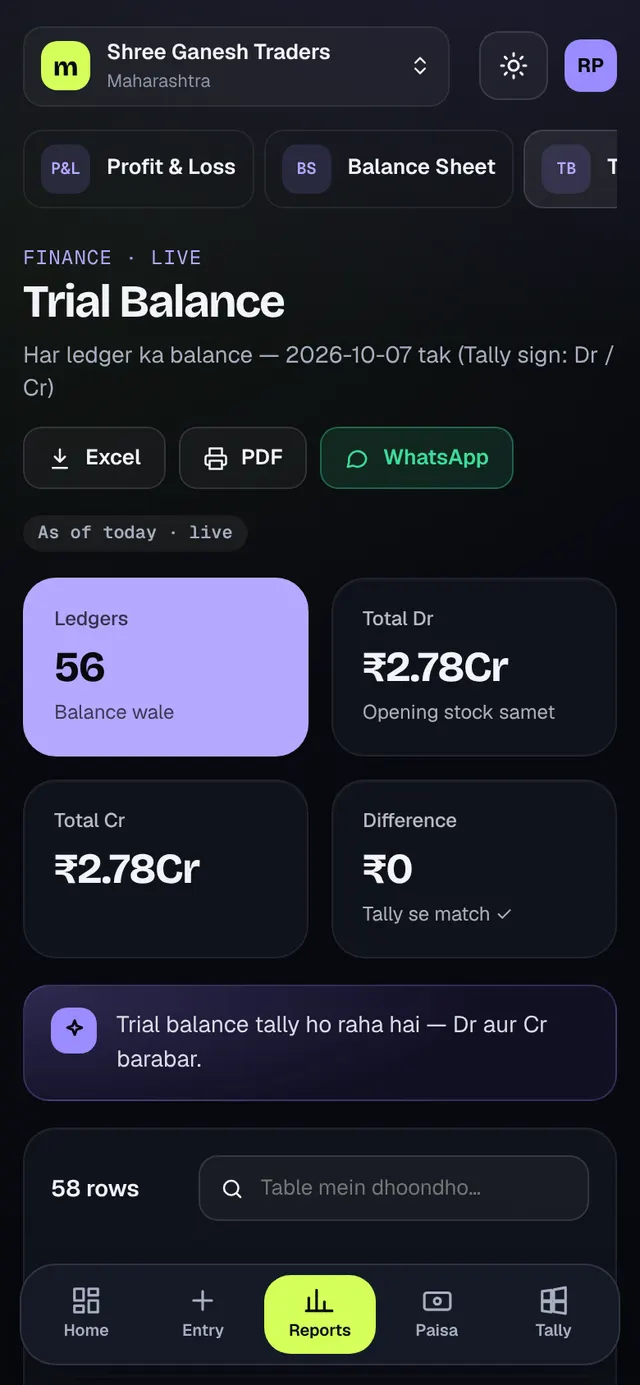
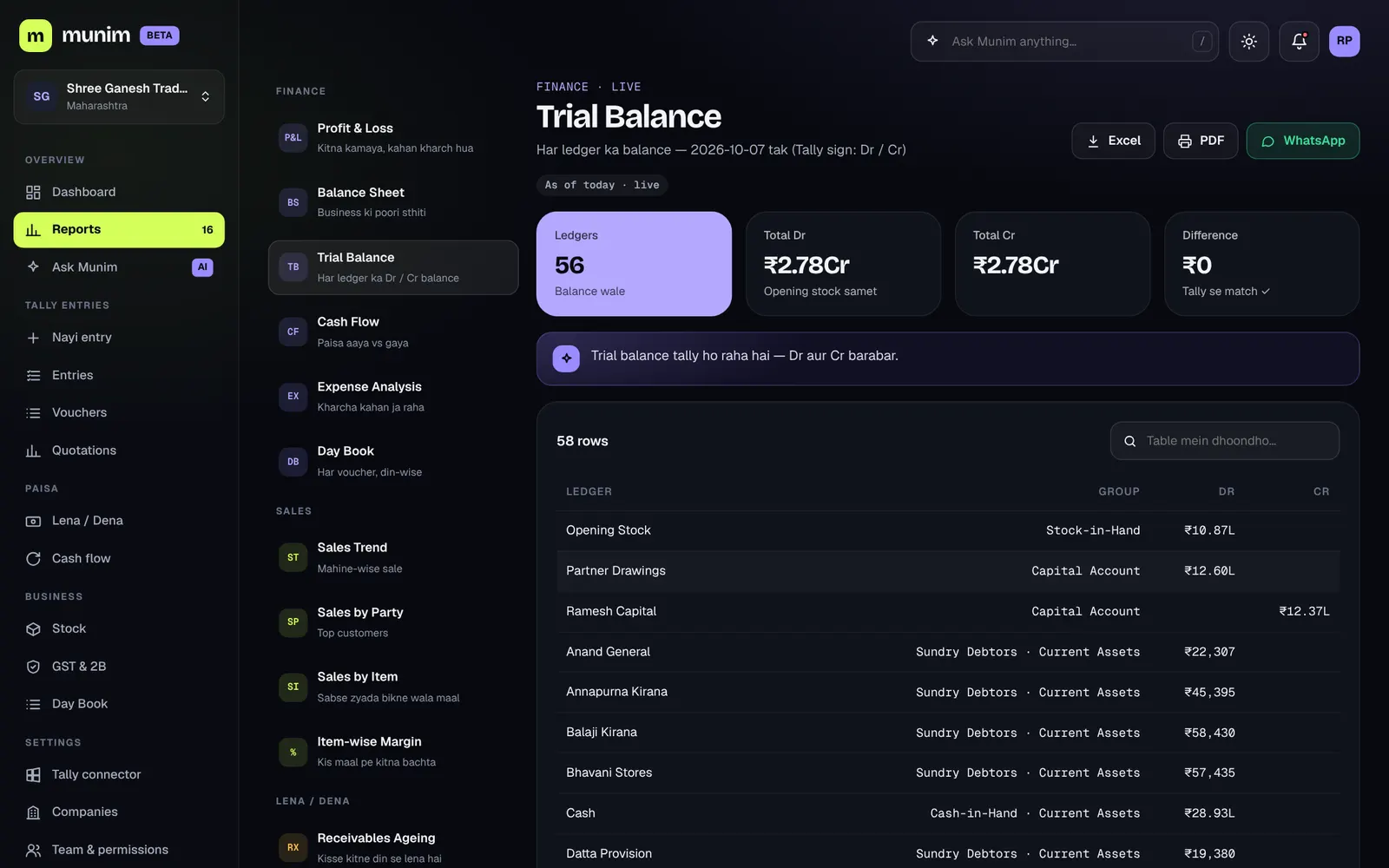
- P&L, Balance Sheet, TB — PDF / Excel / WhatsApp in one tap
- Access for your CA — with 2-step login, no files to send
How it works
3 steps. Tally keeps running as it is.
Your accountant keeps working in Tally exactly as before. Munim only reads — and writes only when you allow it.
- 1Install the connector
Download and install Munim Connector on the Tally PC. No admin password needed.
- 2Enter the pairing code
The Munim app gives you a code — enter it in the connector. First sync takes 5–15 minutes, then it's automatic every minute.
- 3Open it anywhere
On your phone, tap "Add to Home screen" — it works like an app. Invite your team and your CA.
Features
One app. Your complete books.
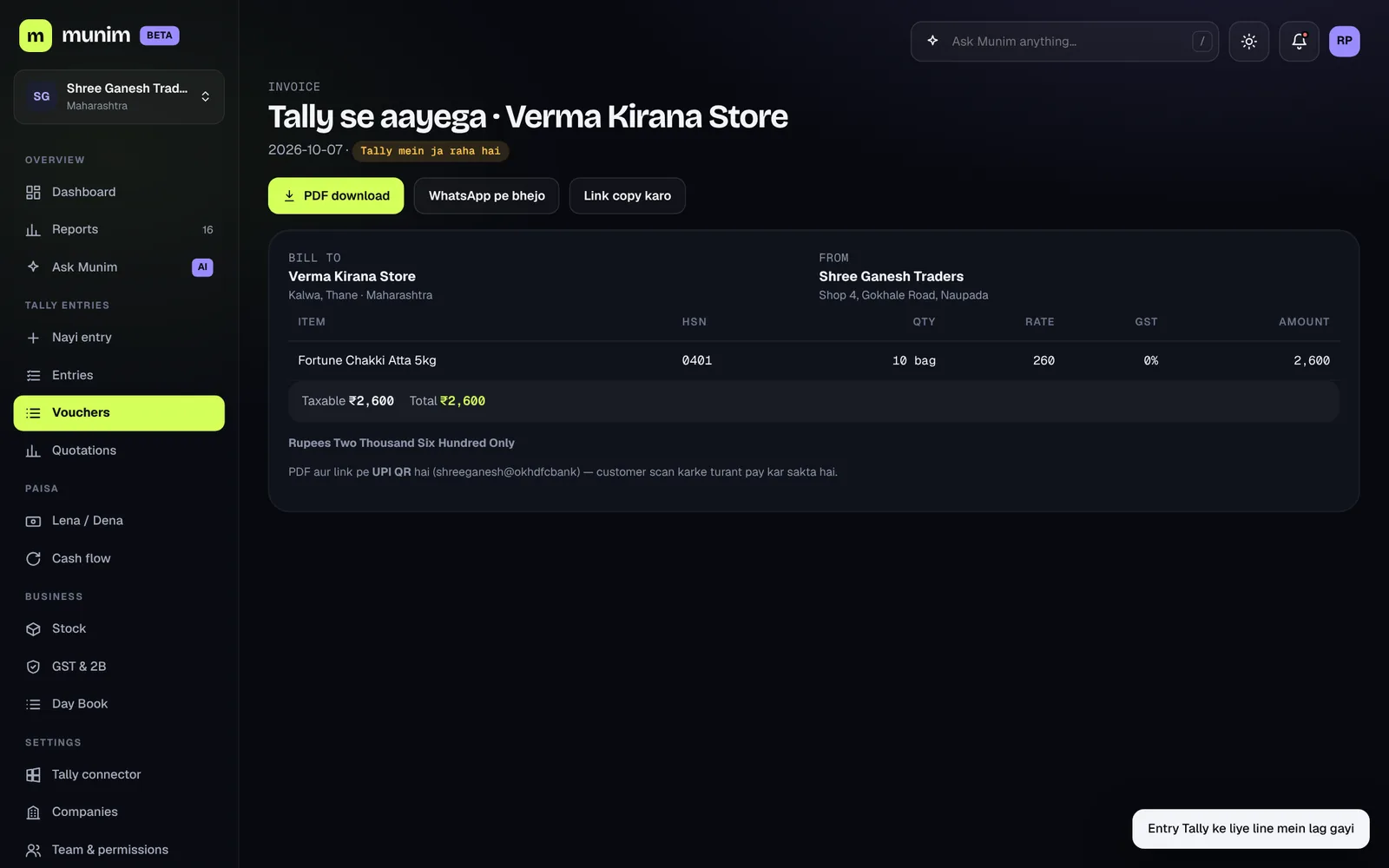
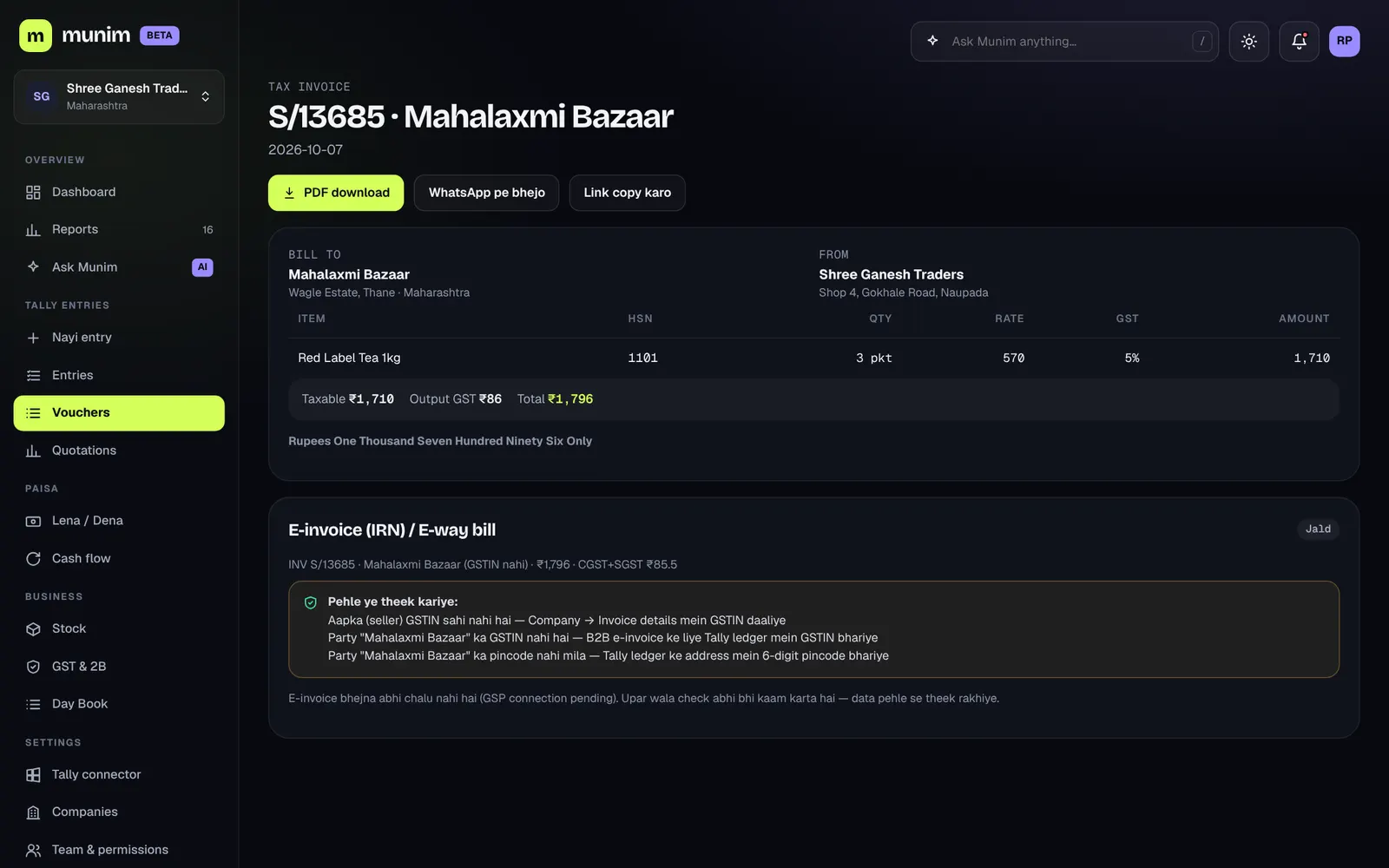
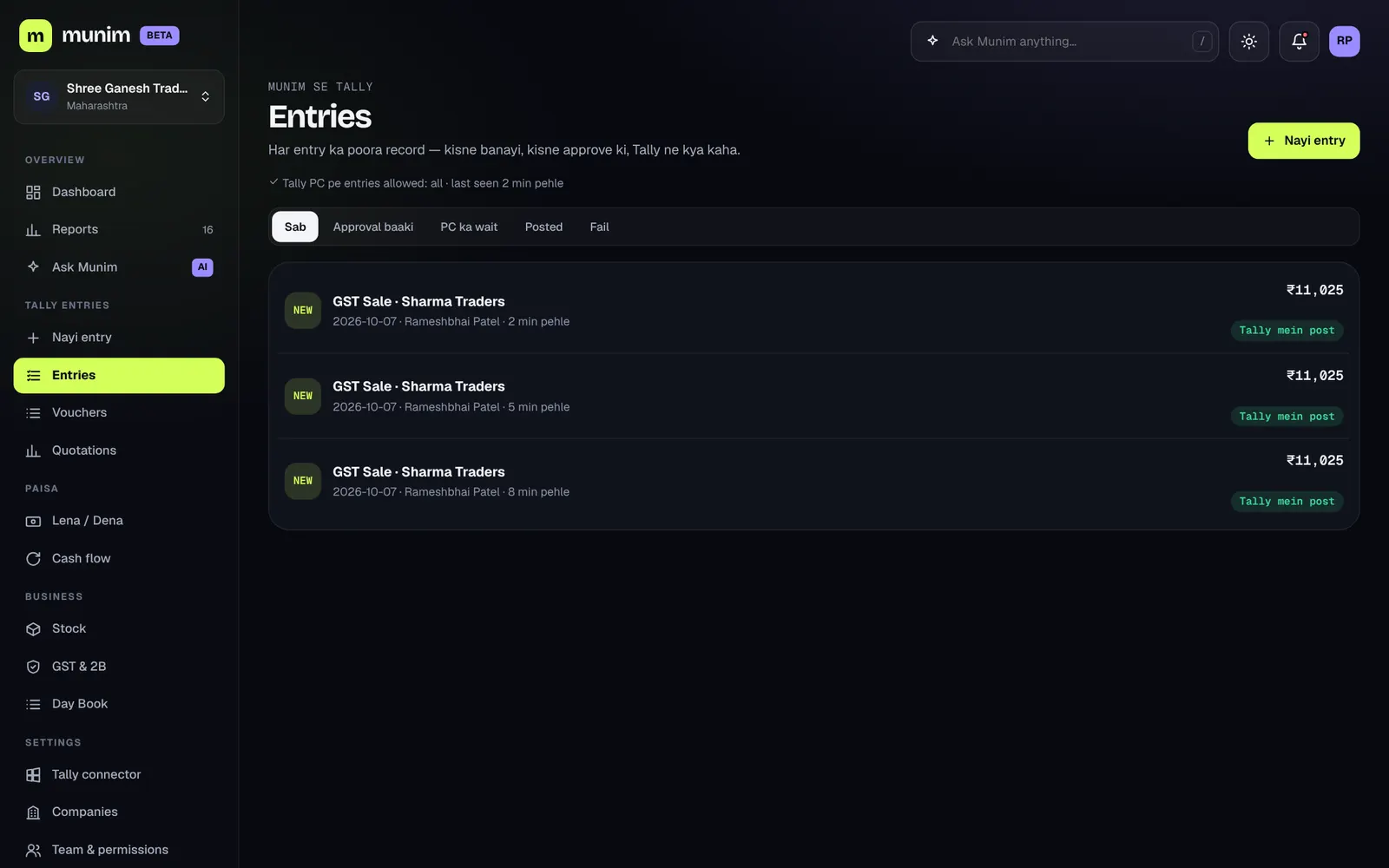
The screens below are from the real Munim app — on a sample company's data.
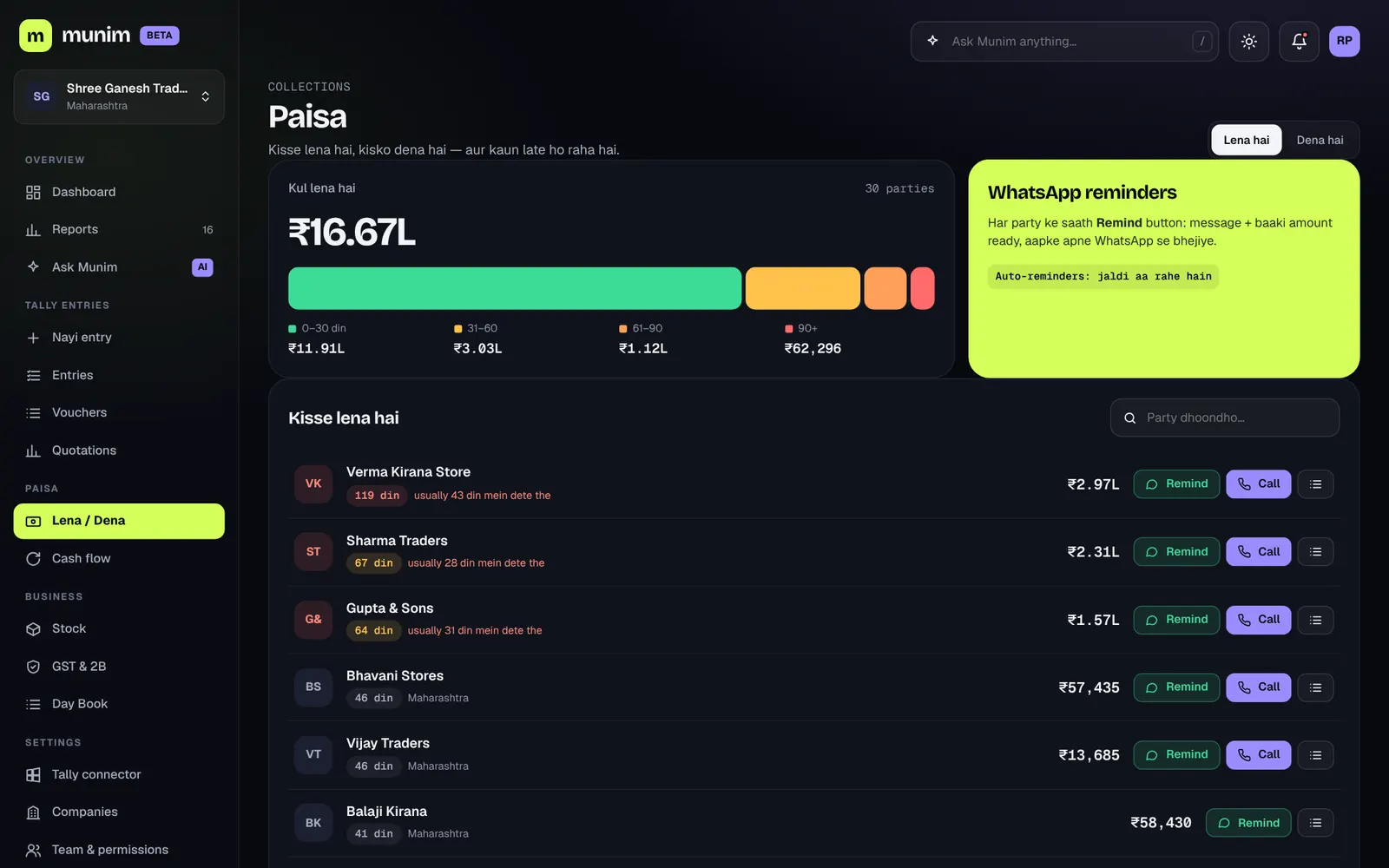
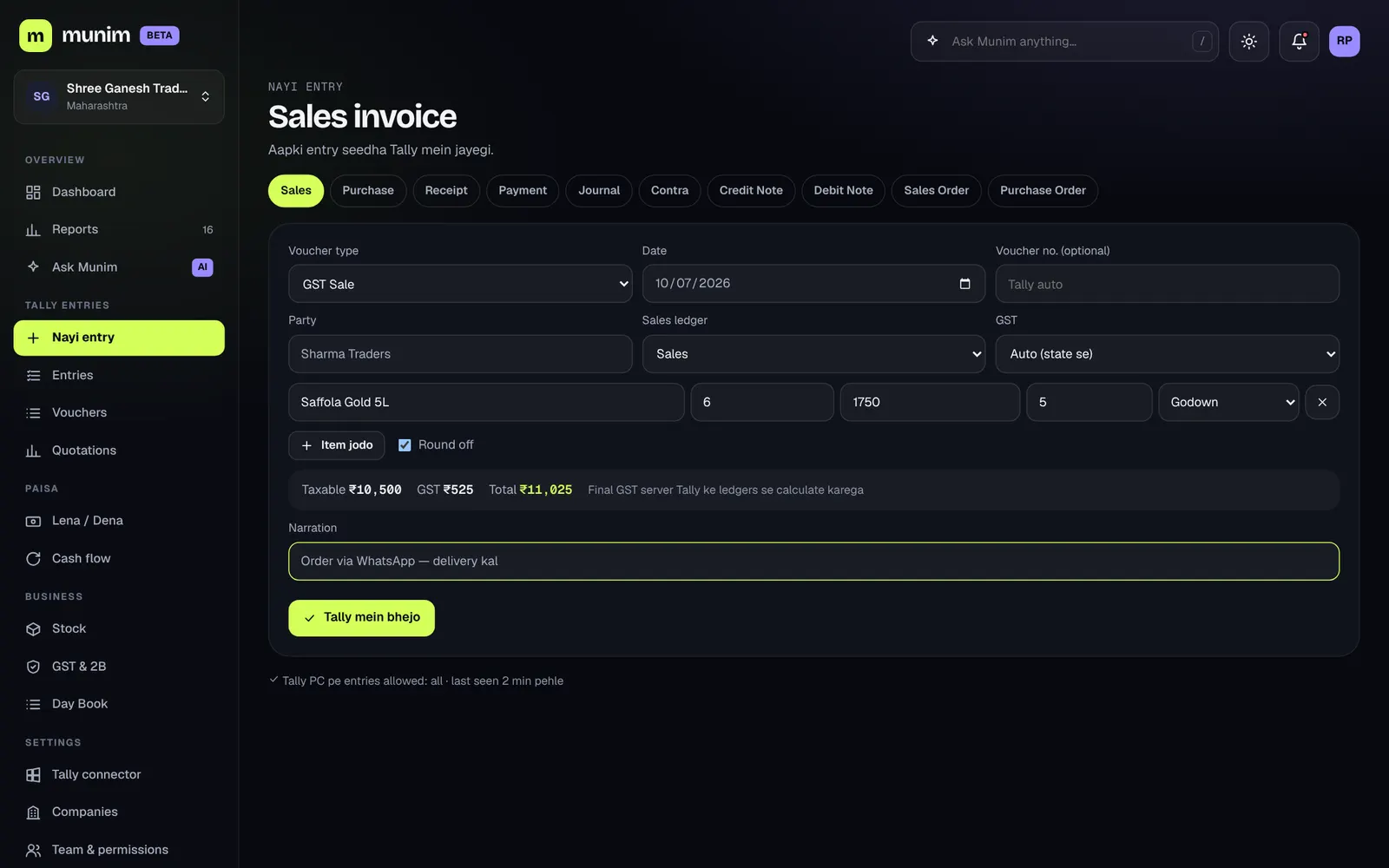
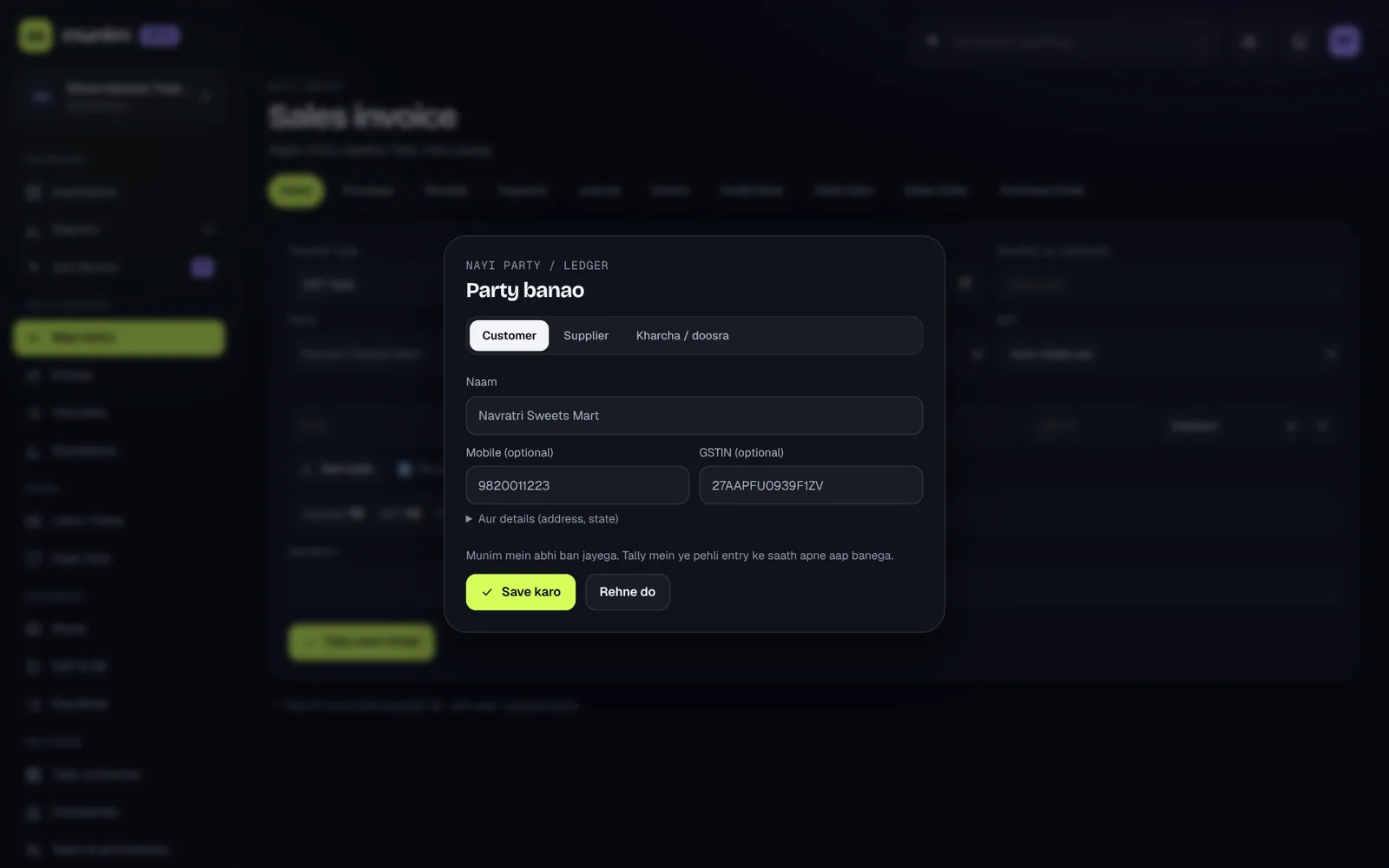
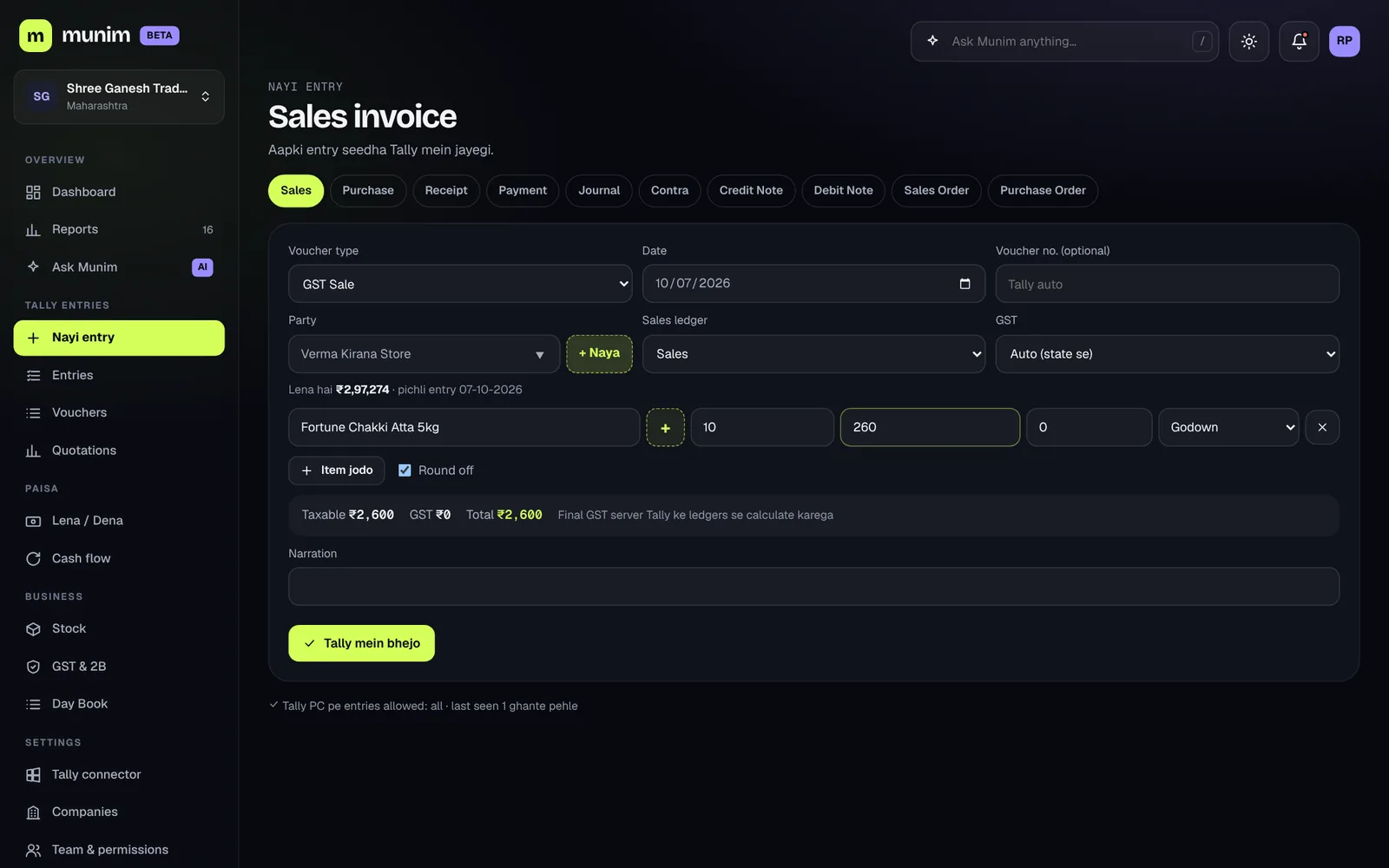
Ask Munim (AI)
"Why is profit down this month?" — ask in English, Hindi or by voice. Answers come from your Tally data. Party names are masked before anything is sent to the AI.
Approval rules
The accountant creates entries, the owner approves. By role: who can post directly, who needs approval, and up to what ₹ amount.
CA practice mode
All your clients in one place for CA firms. The client grants access, the CA logs in with 2-step verification — no backup files.
One PC, many companies
Several Tally companies from a single connector. Each company's data stays separate — never mixed.
An app on your phone
"Install" from the browser — icon on the home screen, full-screen app. Android and iPhone.
E-invoice & e-way bill
Every sale is checked: GSTIN, HSN, pincode. When all is correct, get the e-invoice / e-way bill JSON file in one click — upload it on the government portal and get the number there. Direct IRN coming soon.
Walkthrough
See all of Munim in 2 minutes.
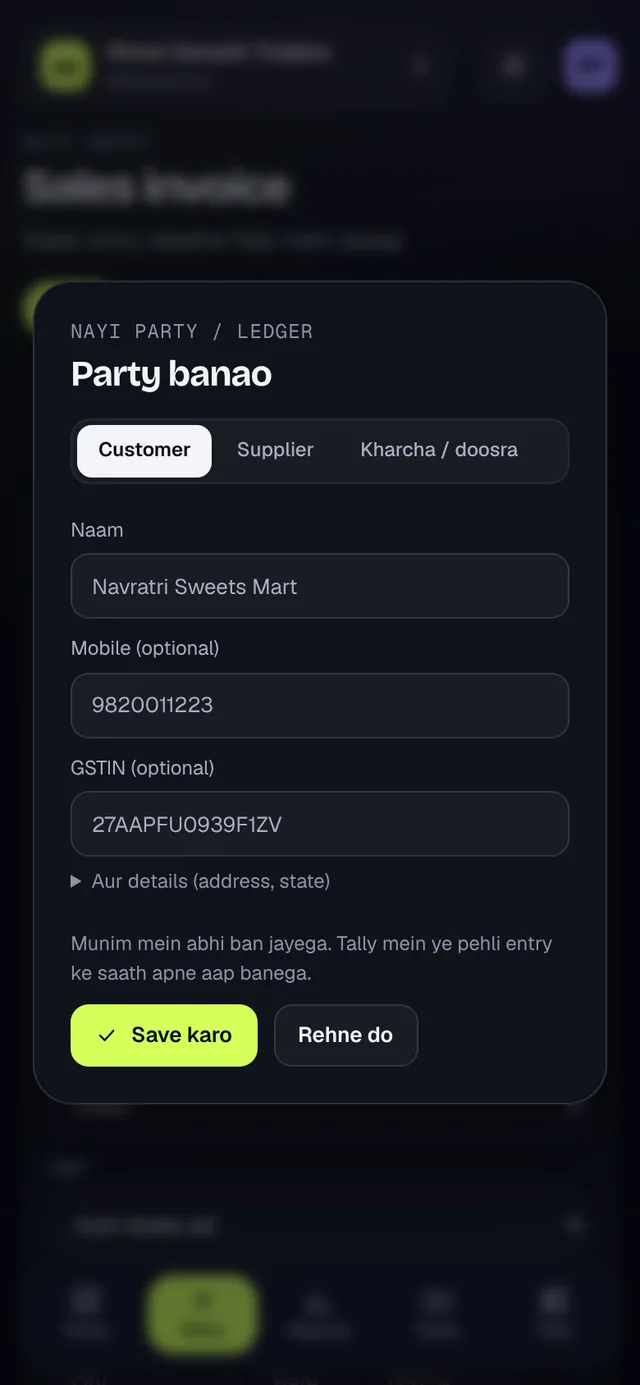
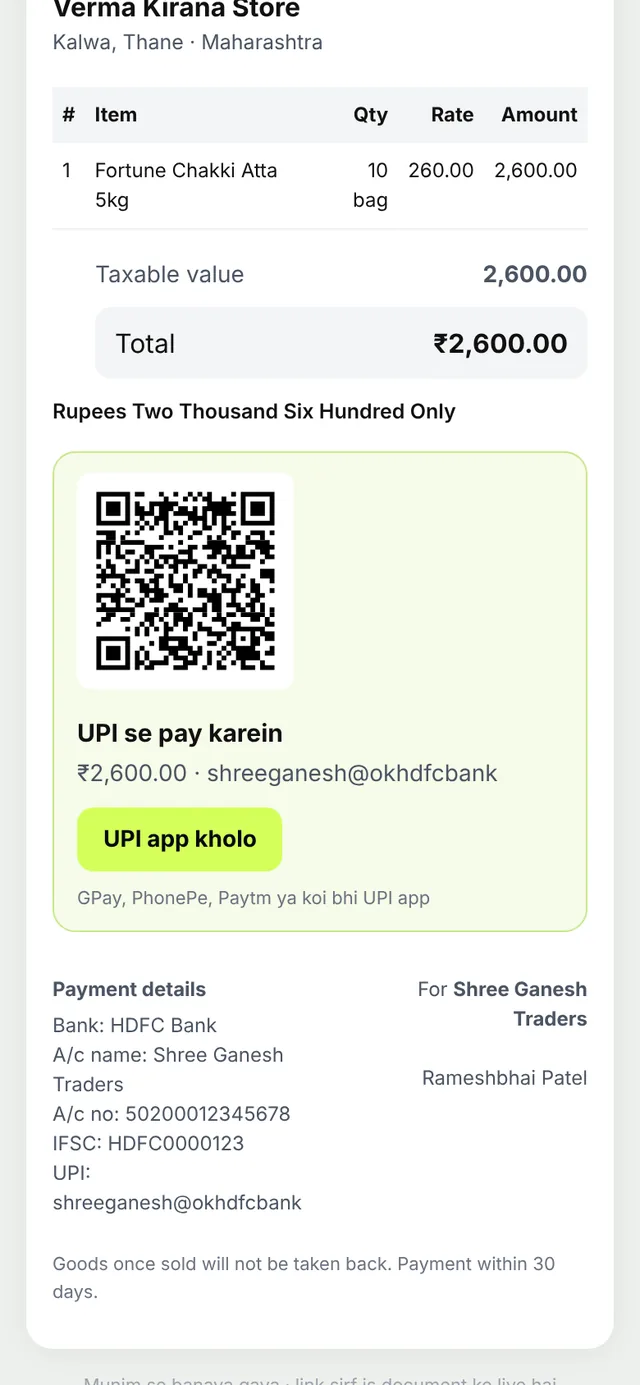
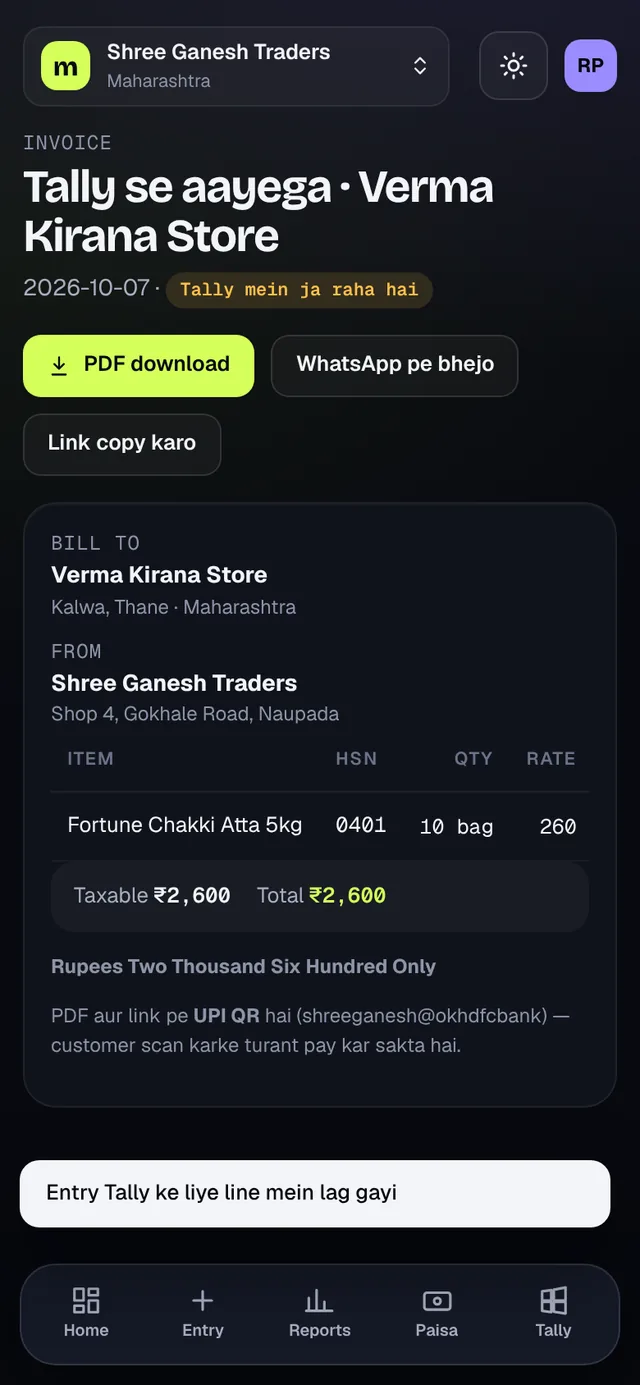
The real app, a sample company, Hindi voiceover — from the dashboard and "+ New" party to the instant bill, UPI QR and posting into Tally.
Mobile
In the shop, on the road, at home — Tally goes with you.
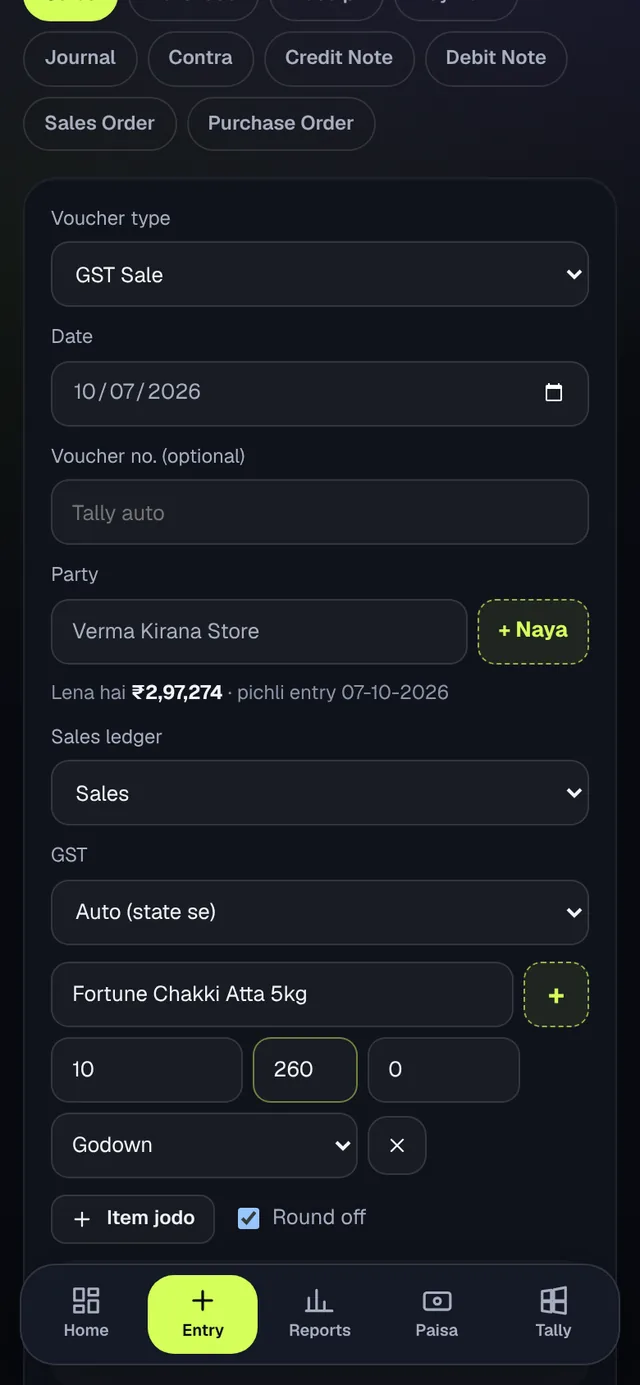
Bottom bar: Home, Entry, Reports, Money, Tally. Everything works one-handed.
- Today's businessSales, profit, dues, cash — as soon as you open it
- Receivables / PayablesWho is late — one-tap WhatsApp reminder
- "+ New" party, right thereCreate a party / item without leaving the bill
- Smart assistParty dues and last rate, filled in for you
- Instant billPDF + WhatsApp as soon as you send the entry
- UPI QRCustomer scans and pays instantly
- ReportsTrial Balance, P&L — match Tally
Security
Your books stay yours.
Encrypted data
Party phone, GSTIN, address, narration — encrypted with a separate key per company. One company's data is invisible to another even at the database level.
Writing to Tally — your call
The connector is read-only by default. Entries go in only when you allow it on the Tally PC, and only as commands signed by Munim.
2-step login
2-step with Google Authenticator. Mandatory for CA accounts. Accounts lock after repeated wrong passwords.
Signed updates
Connector updates are signed with an offline key — even if the server were hacked, no rogue code would run on your PC.
Daily backup
Encrypted backup every night, stored separately. Hosted in India.
Your data, your control
Export all your data anytime, or delete a company / your account — right from the app.
Pricing
Four plans. Pick what your business needs.
Per company, per month, + GST. Pay monthly or for 12 months. 14 days free on Advanced Pro (everything). If you don't pick a plan after the trial, your data stays read-only — nothing is deleted. CA login is free.
Basic
1 web + 1 mobile user
200 AI credits / month
- Tally live sync or Munim Books
- All vouchers, GST, stock, Day Book
- Balance Sheet, P&L, Trial Balance + reports
- GST invoice, UPI QR, WhatsApp share
- Ask Munim AI
Pro
1 web + 1 mobile user
500 AI credits / month
- Everything in Basic
- 2.5× AI credits for Ask Munim AI
Advanced
1 web + 1 mobile user + 3 field salesmen · more users ₹299 / month each
1000 AI credits / month
- Everything in Pro
- All AI features — AI Import reads bills & bank statements
- Field Sales app & product catalogue
- Quotations, sales & purchase orders
- E-invoice & e-way bill JSON
Advanced Pro
1 web + 1 mobile user + 3 field salesmen · more users ₹299 / month each
1000 AI credits / month
- Everything in Advanced
- WhatsApp automation & payment reminders
- Payroll, PF / ESI, TDS
- Outlets & credit control
- GST portal API — IRN direct from Munim
- Cost centres
- Priority support
AI credits: 1 Ask Munim AI question = 1 credit; each page of a bill or statement read by AI Import = 3 credits. CA login is free and not counted as a user.
WhatsApp (Advanced Pro) goes from your own WhatsApp Business number. Number registration and Meta's per-message charge (about ₹0.115 + GST per order / payment / reminder message) are extra, paid from your WhatsApp wallet.
Payments via Razorpay (UPI, card, netbanking). Not happy within 7 days of your first payment? Full refund.
FAQ
Frequently asked questions
Which Tally do I need?
TallyPrime on a Windows PC. In Tally, set F1 → Settings → Connectivity to "Both" with port 9000 — the setup screen walks you through it. Tally ERP 9 is not tested yet.
Can a wrong entry go into Tally?
By default the connector only reads. Writing is switched on only when you choose it on the Tally PC, and only for the voucher types you pick. Every entry is checked in Munim — party / item names must match Tally exactly, otherwise it asks "Did you mean…?". Approval rules apply on top.
Do I have to create a new party in Tally first?
No. In the entry form, tap "+ New" next to party / item and fill the small popup (enter the GSTIN and the state is filled in). The party is selected in the bill right away and created in Tally along with the bill. If a similar name already exists, Munim asks first — no duplicates.
Where is my data kept? Is it safe?
On servers hosted in India, with sensitive fields encrypted. Each company's data is separated at the database level. You can export or delete it anytime.
What if the internet or the PC is off?
The app keeps showing data up to the last sync. When the PC / internet is back, the connector syncs on its own — nothing is missed.
More than one company?
Yes. Connect several Tally companies from the same PC's connector. Each company has its own plan.
For CA firms?
CA practice mode shows all your clients on one screen. The client gives the CA access to their company; the CA logs in with 2-step verification.
Where do I download the mobile app?
No Play Store needed. Open munim.hostrob.com/app in your phone's browser and tap "Add to Home screen" / "Install".
What happens after the trial?
Pick a plan within 14 days and everything keeps working. If you don't, your data becomes read-only — you can view and export it; nothing is deleted.
Bring your Tally to your phone today.
Create your free account in 2 minutes — just your mobile number. Need help with setup? Message us on WhatsApp.
Or email: sunny@futurefist.com